

macOS 27 Golden Gate arrived on September 14, introducing an all-new Siri AI assistant, major updates to Safari, Photos, Messages, Mail and Calendar, and expanded child-safety features. Design refinements and performance improvements round out the release.
Named after California’s iconic Golden Gate, the update continues Apple’s push to make the Mac smarter and more proactive, bringing Apple Intelligence to more parts of the operating system to help users complete everyday tasks faster.
macOS 27 supports all Macs powered by Apple silicon, but drops support for Intel-based models. Intel Macs can continue running older versions of macOS, with security updates expected to remain available for a limited time.
This guide covers macOS 27’s biggest new features, compatible Macs and the latest beta developments. With some features still to come, we also explain what’s in the beta, what’s expected in future updates and when those additions could arrive.
Apple
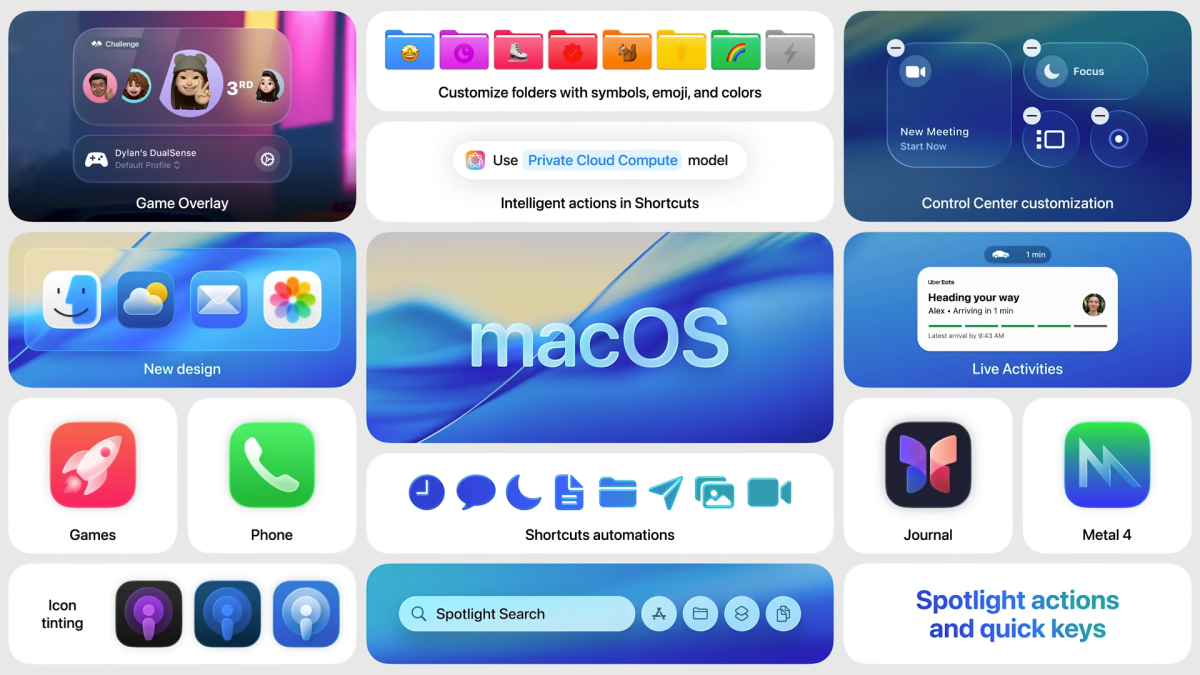
Here are the top ten new features and changes in macOS 27 Golden Gate.
macOS 27 has been in beta since it was unveiled at WWDC in June, but the official version of macOS 27 became available to install on compatible Macs on September 14.
Apple released the macOS 27.0.1 update on September 28, 2026. According to Apple’s security releases document, ” “This update has no published CVE entries.”
The next update is expected to be macOS 27.2, which is currently in beta.
Apple
Development of Golden Gate continued and Apple released the first Golden Gate beta – confusingly named: macOS 27.2 beta – on September 16. The second beta of macOS 27.2 was released on September 21.
macOS 27.2 is expected to arrive towards the end of October.
Apple has not announced any major additions coming with macOS 27.2, but the update is expected to focus on:
Beta software can cause crashes, app compatibility problems, increased battery drain and, in some cases, data loss. If you install a beta, make a full backup first and, ideally, use a secondary Mac, separate volume or external SSD.
Here’s how you can participate in the beta program we also recommend reading our guide to whether you should install the latest macOS beta.
At the time of the launch of macOS 27 not all of Apple’s promised features were available. Missing features include:
Since macOS 27 Golden Gate arrived on Macs there have been reports in the Apple Support Community of issues with Mission Control and Spaces.
These include:
French website MacGeneration was able to reproduce some Mission Control glitches.
It is likely Apple will address these issues in macOS 27.2, if not before.
Foiundry
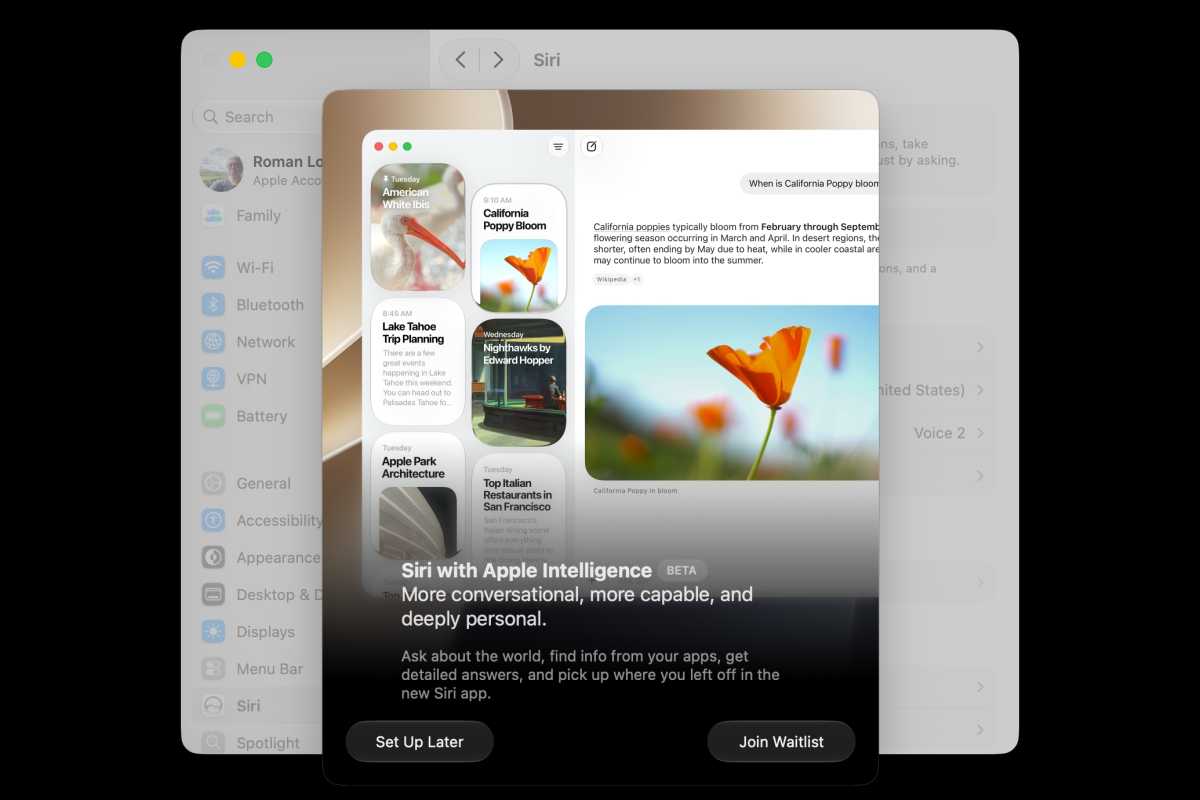
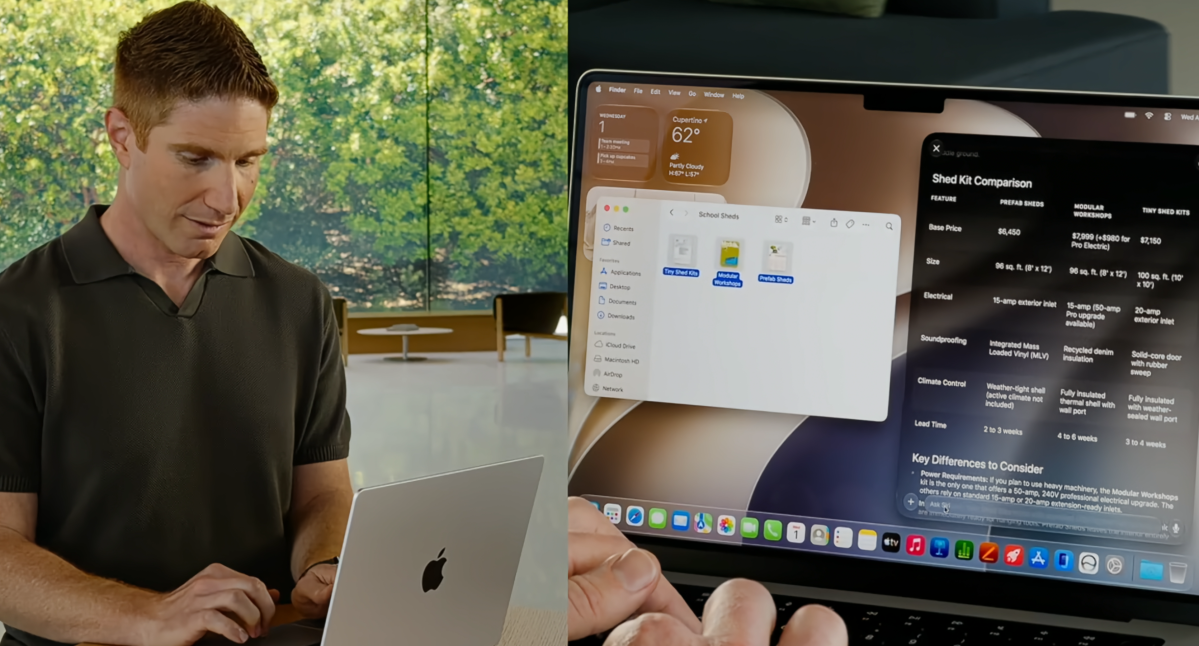
Apple’s biggest focus in macOS 27 Golden Gate is Siri AI, a completely redesigned version of Siri powered by Apple Intelligence. Rather than functioning primarily as a voice assistant, Siri is now a conversational AI that can answer questions, understand personal and onscreen context, access current information from the web and take actions across apps.
Siri AI behaves more like a generative-AI chatbot than the Siri of old. It can answer questions directly, understand natural follow-ups and solve problems instead of simply directing users to web searches.
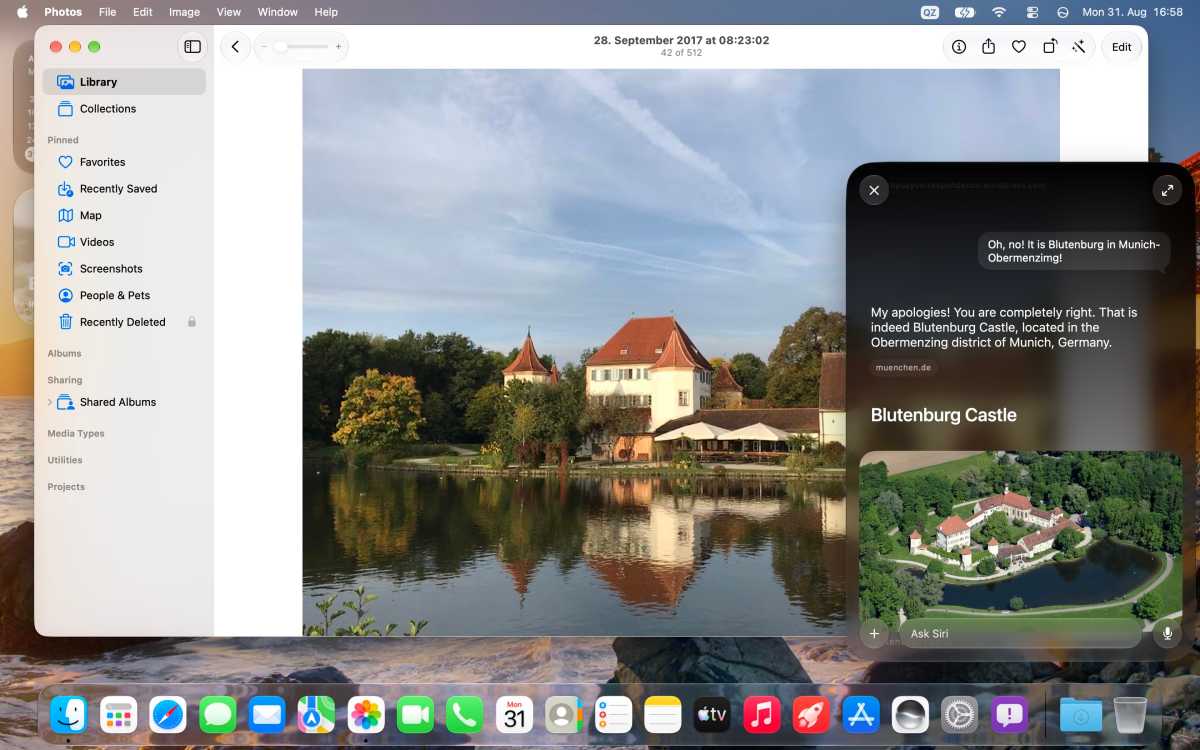
Apple’s Visual Intelligence initially placed Blutenburg in Denmark.
Macwelt
A Siri AI contextural popover was discovered during beta testing. Selecting text brings up a small Siri icon offering contextual actions, including Writing Tools, summaries and key points, sending messages or emails, creating calendar events, opening locations in Maps, and tracking flights or packages. However, the feature is not enabled by default and requires Apple’s FeatureFlags system to activate. It remains unclear whether Apple intends to make it available as a consumer-facing feature.
Apple also appears to be taking a relatively restrained approach to AI behaviour. In our testing, Siri avoids presenting itself as human, excessive flattery and potentially harmful responses, while generally keeping its answers straightforward.
Siri AI has launched as a beta, so users should expect some rough edges and continued improvements.
Siri AI initially supports English, with French, Japanese, Korean, Portuguese and Spanish due in October. Availability will vary by region. Siri AI is available on Mac and Vision Pro in the European Union, although Siri AI remains unavailable on iPhone and iPad in the EU at launch because of issues related to the Digital Markets Act. It is also unavailable in mainland China while Apple works through regulatory requirements.
Siri AI requires a Mac that supports Apple Intelligence, but some of its most advanced capabilities have higher hardware requirements. Apple says its most powerful on-device AI model, expressive Siri voices and advanced dictation require an M3 or later Mac with at least 12GB of unified memory. Macs that support Apple Intelligence but do not meet those requirements can still receive other Siri AI features, although the exact feature set may vary.
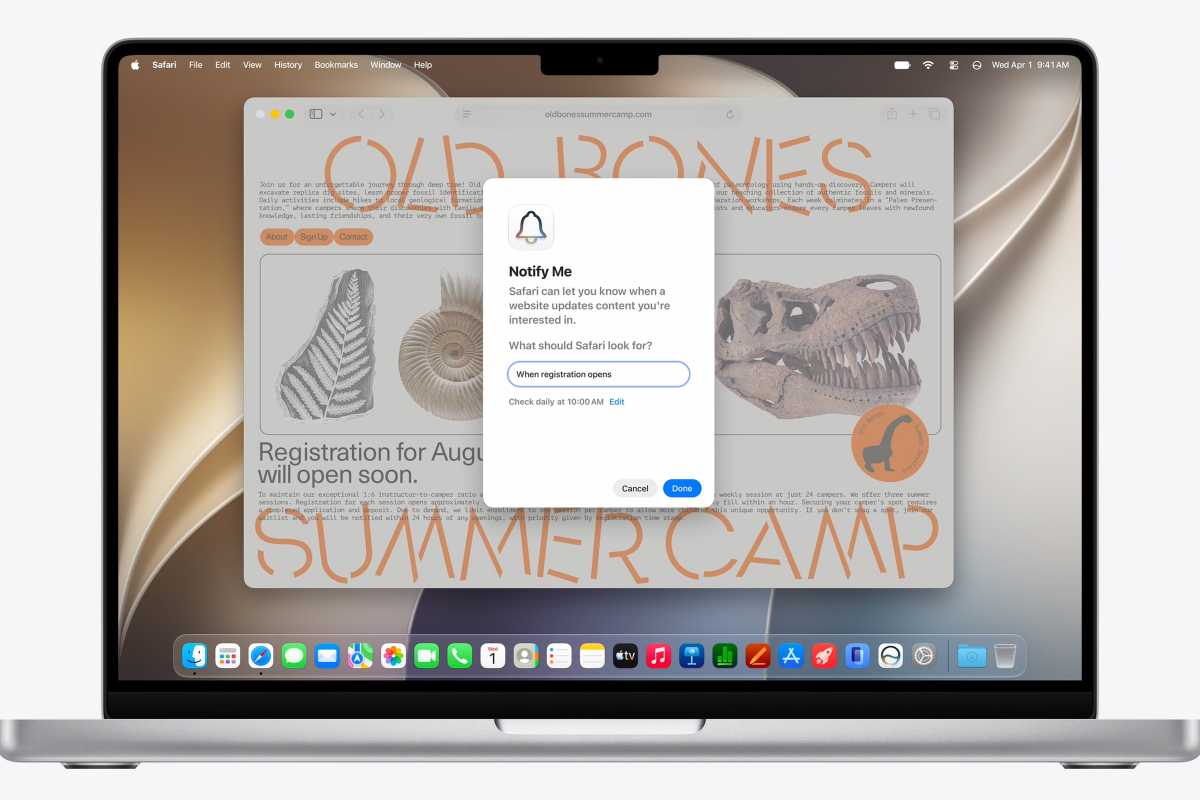
Notify Me in Safari
Apple
Safari gets several Apple Intelligence-powered upgrades in macOS 27, including smarter tab organization, webpage monitoring, custom extension generation, and performance improvements.

Get notified.
Macwelt
Messages and Mail gain deeper Apple Intelligence integration in macOS 27, alongside improvements to search, syncing and everyday reliability.
Photos has new AI-powered editing and organization tools in macOS 27, making it easier to improve images, find photos and manage an iCloud library.
macOS 27 also brings a wide range of smaller upgrades across Apple’s built-in apps, with a particular focus on automation, organisation, security and Apple Intelligence.
In macOS 27 the Passwords app will automatically identify weak or compromised passwords and, with Apple Intelligence, visit supported websites, change the password and save the new credentials. This could remove much of the manual work involved in updating large numbers of old or leaked passwords, although questions remain over website compatibility, two-factor authentication and how consistently the feature will work. Read: Apple finally got rid of my biggest password headache.
This feature was not included in the initial macOS 27 release and may arrive in a subsequent update.
Image Playground gets a substantial AI upgrade, including the ability to create photorealistic images and make more convincing edits to existing pictures, such as changing colours, hair and other details. Apple continues to apply safeguards around real people, copyrighted characters and distinctive artistic styles. Support for embedding SynthID identification in most AI-generated or edited images is due in a later macOS 27 software update.
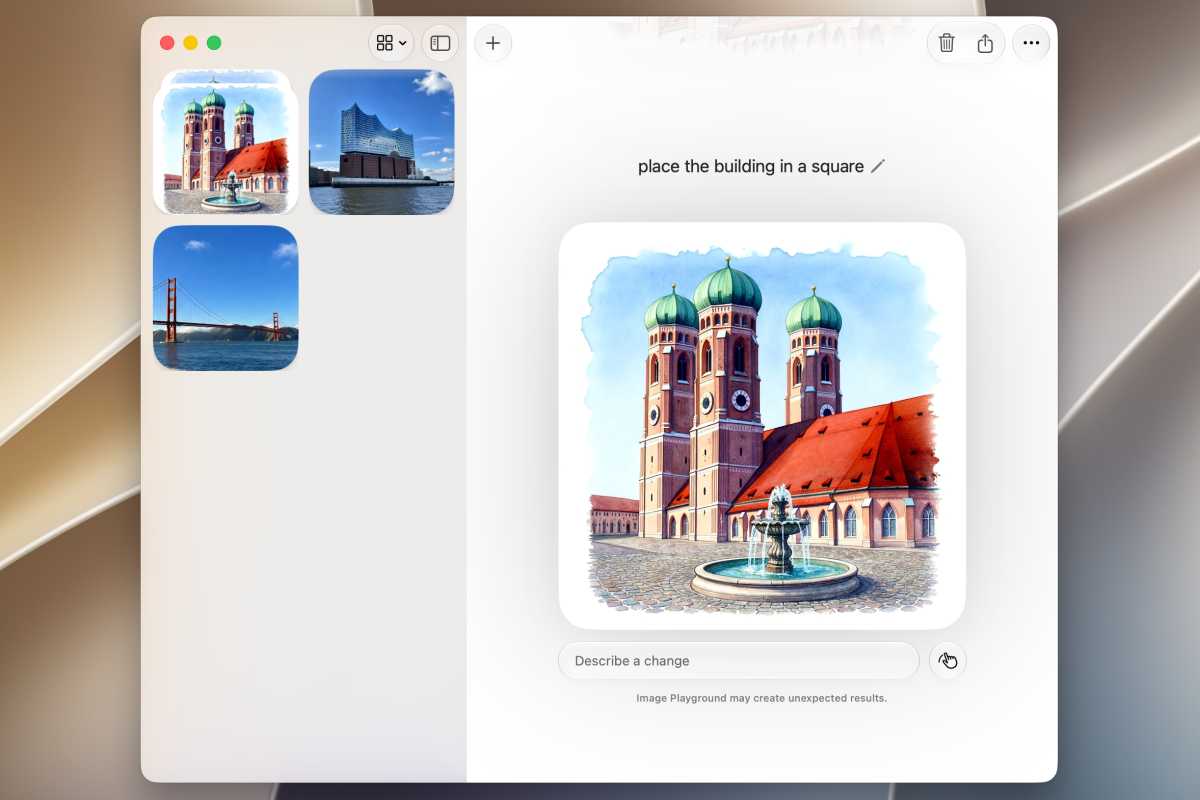
Foundry
Calendar gains natural-language event creation, making it possible to describe an event rather than manually entering every detail. It can also make changes to multiple events at once.
Preview supports more document formats, improves PDF editing and saves PDF files more quickly.
Notes gains drawing tools for sketching with a mouse or trackpad, along with digital signatures, Markdown copy-and-paste and links to sections within notes.
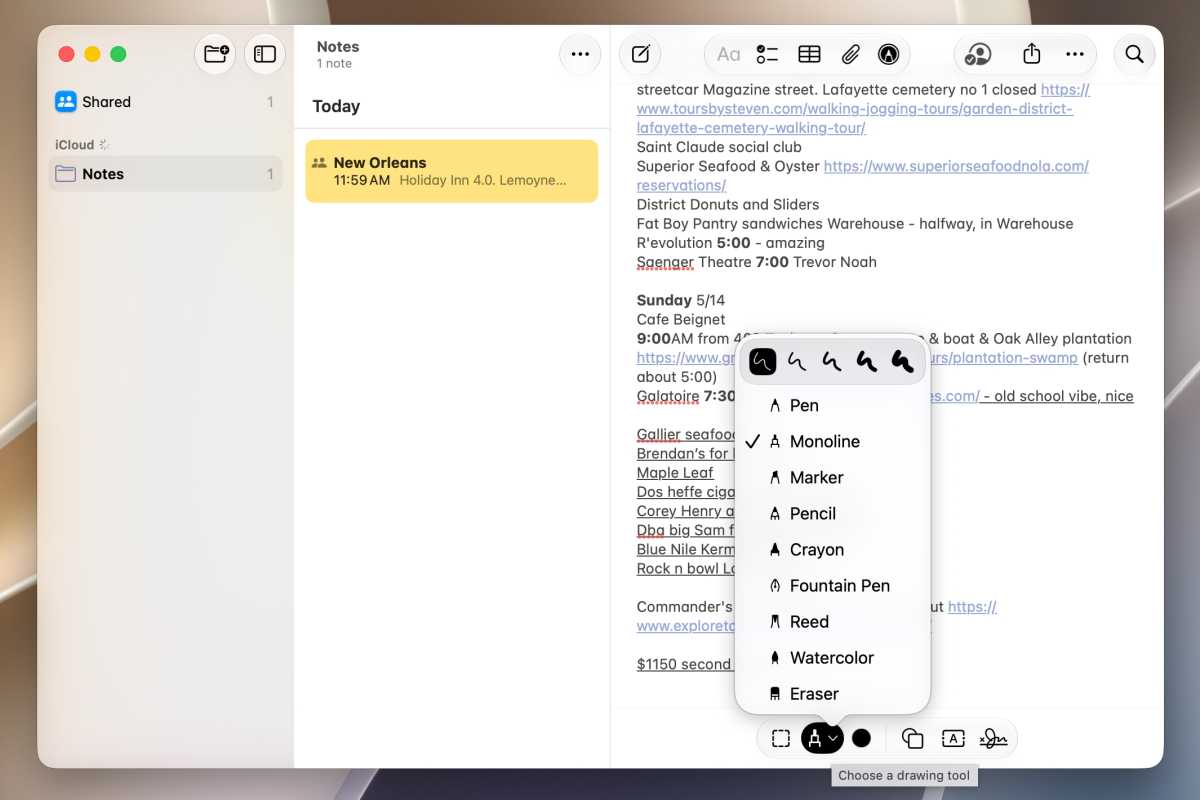
Notes now features a drawing tool as well as the ability to create and use digital signatures.
Foundry
Freeform adds drawing tools, collaborative folders and improved organisation, including the ability to sort boards into folders. Full dark-mode support also changes the appearance of the drawing canvas.
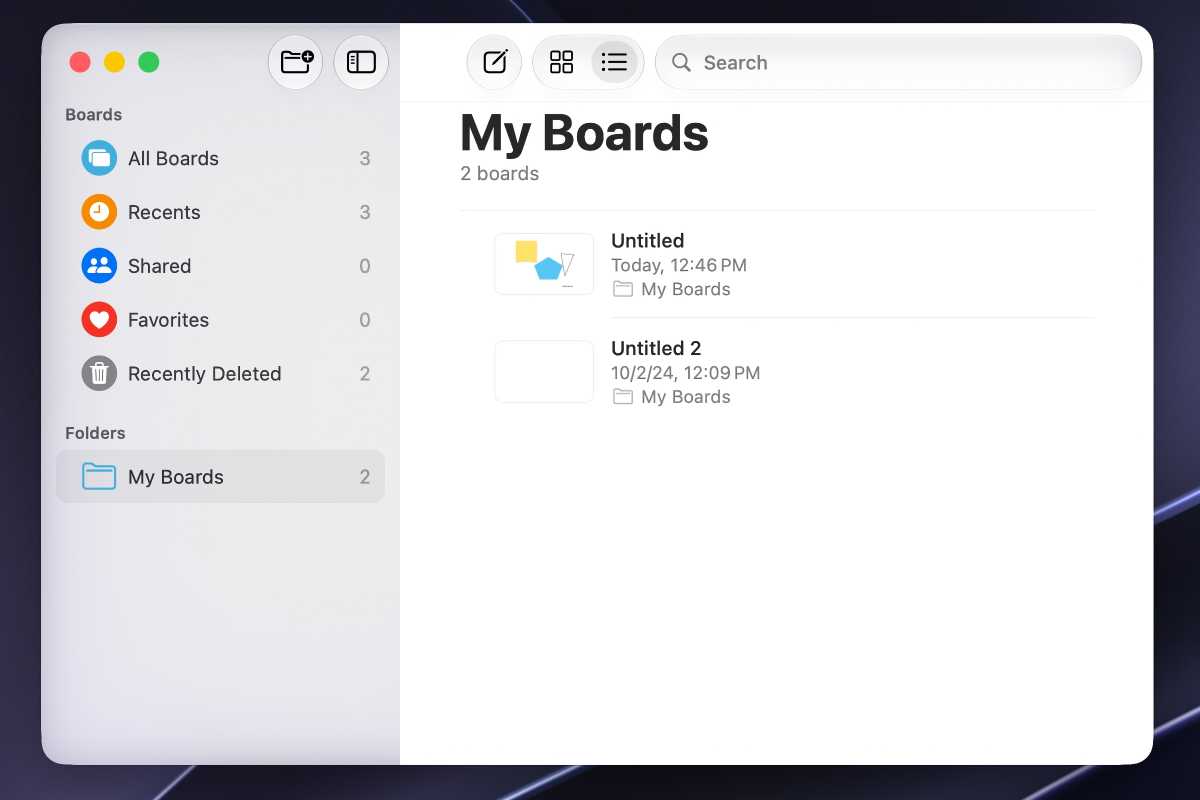
In Freeform, boards can now be organised into folders.
Foundry
Weather gets a clearer and more detailed forecast interface, with reorganised information tiles and enhanced 10-day forecasts showing precipitation probability and amount, as well as wind speeds throughout the day.

In the Weather app, the tiles have been rearranged, and there are separate 10-day forecasts for precipitation and wind (circled in red).
Foundry
Shortcuts gains a redesigned editor, more automation capabilities and one of macOS 27’s more ambitious AI features: the ability to turn natural-language instructions into working automations.
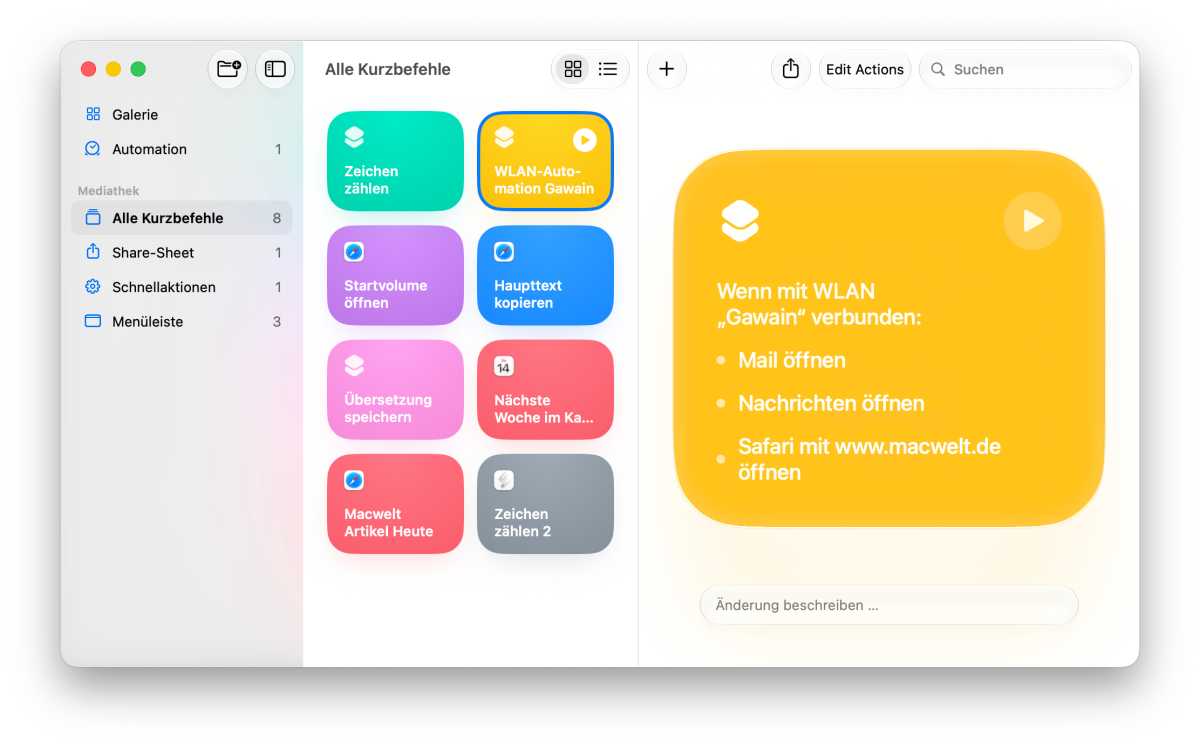
Shortcuts can start automatically when a specific event occurs.
Thomas Armbrüster
Apple expands its family-safety tools with Safari’s Ask to Browse, improved Screen Time and Time Allowances, contact approvals, and broader Communication Safety protections. The changes give parents more control over what children can access and who they can communicate with without completely locking down the Mac.
macOS 27 also includes accessibility improvements, expanded Shared Albums, and more contextual Suggestions throughout the operating system.
Apple’s Game Porting Toolkit 4 arrives alongside macOS 27 and promises significant improvements for running and porting Windows games on Apple silicon Macs. Early beta testing suggests substantial performance gains. On an M4 Pro MacBook Pro, GTA V reportedly increased from around 106fps to 176fps, while Red Dead Redemption 2 improved from roughly 60fps to 75fps.
The results suggest software compatibility, rather than raw Apple silicon performance, is increasingly the main obstacle to better Mac gaming. Improvements to Game Porting Toolkit could make Windows titles more practical to run and easier for developers to bring to macOS.
Apple
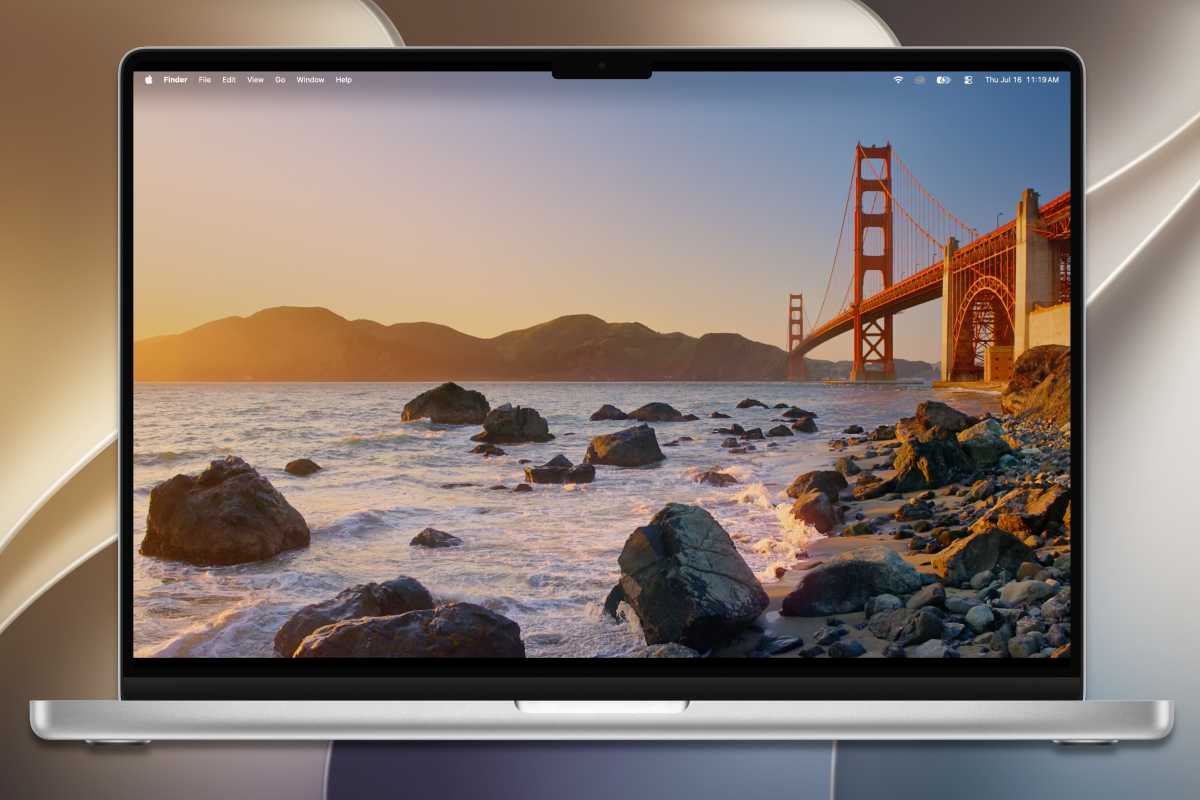
macOS 27 Golden Gate refines the Liquid Glass redesign introduced in macOS 26, with Apple focusing on readability, consistency and usability rather than another major visual overhaul.
Changes include:
Foundry
Apple says macOS 27 focuses on speed, efficiency and everyday usability, with improvements across apps, networking, displays and system tasks. Most of these changes do not require Apple Intelligence.
Changes include:
Apple Intelligence powered changes:
Apple Intelligence privacy: Apple says AI processing happens on-device where possible, with Private Cloud Compute used for more demanding tasks. Data processed in the cloud is not stored or made accessible to Apple.
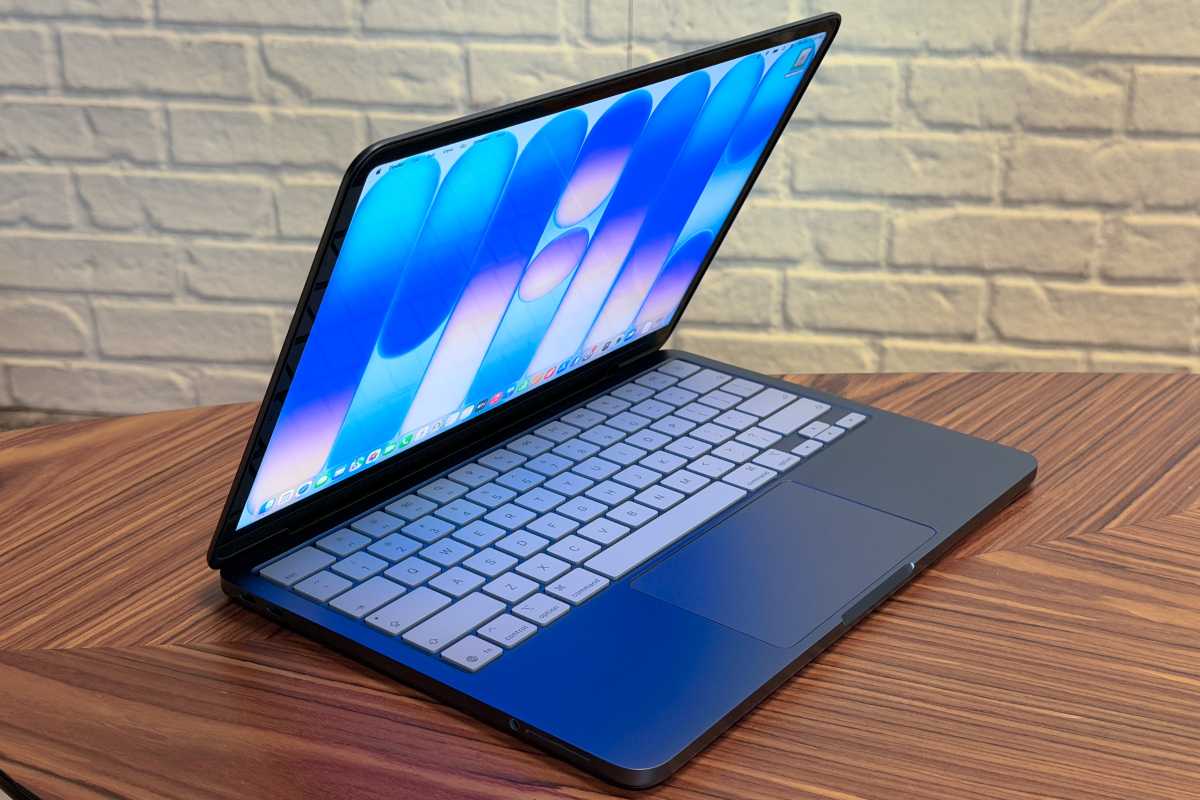
The MacBook Neo and other Macs in Apple’s current lineup will all be compatible with macOS 27.
Foundry
Apple states that macOS 27 Golden Gate is compatible with:
All supported Macs can run Apple Intelligence, although some of the most advanced Siri AI features require an M3 or later Mac with at least 12GB of unified memory.
macOS 27 marks another major step in Apple’s transition away from Intel. macOS 26 Tahoe was the final version to support Intel Macs, and Apple is now encouraging developers to remove Intel code from their apps and focus on Apple silicon.
macOS 27 will also be the final version to support Rosetta, Apple’s translation technology for running Intel-only apps on Apple silicon Macs. Those apps will continue to work in macOS 27, but will stop working in macOS 28 unless developers release Apple silicon-native versions.
To help users prepare, macOS 27 includes an Intel-app checker in System Settings that lists Intel-based apps used during the past year. If you still rely on any essential Intel-only software, now is a good time to look for updates or alternatives before upgrading to macOS 28.
macOS 27 also begins the phase-out of Apple’s native DVD support. Apple has removed the DVDPlayback framework from the macOS 27 SDK and says it will disappear completely in a future version of macOS.
Golden Gate may still include the DVD Player app, but it is likely to be the last macOS release with Apple’s built-in DVD playback support. Users who still watch DVDs on a Mac will increasingly need to rely on third-party software such as VLC.
September 14, 2026.
Golden Gate builds on macOS 26 Tahoe rather than reinventing macOS all over again. The biggest changes come from Siri AI and Apple Intelligence, alongside improvements to Safari, Spotlight, Photos, parental controls, and everyday system performance.
But how much has actually changed since macOS 26 Tahoe, and is macOS 27 worth installing? We have a separate article that explains how Golden Gate compares with macOS Tahoe and which Macs will benefit most from upgrading.
All M-series Macs can run macOS 27, and the MacBook Neo.
Certain Siri AI features – most powerful on-device model, expressive voices and advanced dictation – are only available for M3 Macs and newer.
Intel Mac owners should start planning a move to Apple silicon, particularly if they want macOS 27, Apple Intelligence or continued access to the latest Mac features. The transition away from Intel hardware has reached a critical turning point, with software support rapidly vanishing and a new generation of affordable entry-level hardware making the switch more accessible than ever.
Apple has confirmed that macOS 27 will not support any Intel-based Macs. While a small number of Intel models may receive security patches for older versions of macOS until September 2028, they are already excluded from modern flagship features.
Those with Intel Macs also miss out on many features, including Apple Intelligence.
macOS 27 will run Intel-only Mac apps through Rosetta 2. However, macOS 27 will be the final version of macOS to support Rosetta 2 as a general-purpose translation technology for running Intel-based Mac apps on Apple silicon.
Rosetta has acted as a transition layer since Apple introduced its own Mac chips in 2020, translating x86_64 Intel instructions so older software can run on Apple silicon. After macOS 27, most Intel-only Mac apps will no longer work unless developers release Apple silicon-native versions, although Apple will retain limited Rosetta functionality for some older, unmaintained games.
Apple is already preparing users for the change. Since macOS 26.4, Macs can display warnings when launching apps that rely on Rosetta, encouraging users (and the app developers) to update to Apple silicon-native versions before general Rosetta support ends.
In macOS 28, most Intel-only apps will no longer run unless developers update them for Apple silicon.
Here is a history of release dates for macOS:


